
Integrating XpressPay Cable TV VAS with Node.js
A practical look at integrating XpressPay Cable TV VAS with Node.js, covering service listing, smartcard validation, subscription fulfilment, Axios, and HMAC SHA512 authentication.
Recently, I was contracted to integrate XpressPay VAS services for cable TV into an existing application. After considering which programming language to use, I decided to use Node.js because of its asynchronous programming model and lightweight nature, which makes it suitable for building API-based services.
What We Will Cover
In this article, I’m going to walk through how I integrated XpressPay Cable TV VAS services using Node.js. We will look at how to retrieve available cable TV providers, validate a customer's smartcard number, and fulfil a cable TV subscription. I will also show how I used Axios for API communication and HMAC SHA512 to secure the requests.
Studying the API Documentation
The first step was to study the XpressPay VAS documentation for cable TV services. This helped me understand the required request and response payloads, authentication requirements, and the available endpoints.
Understanding the payloads before writing the integration also made it easier to test the APIs with Postman.
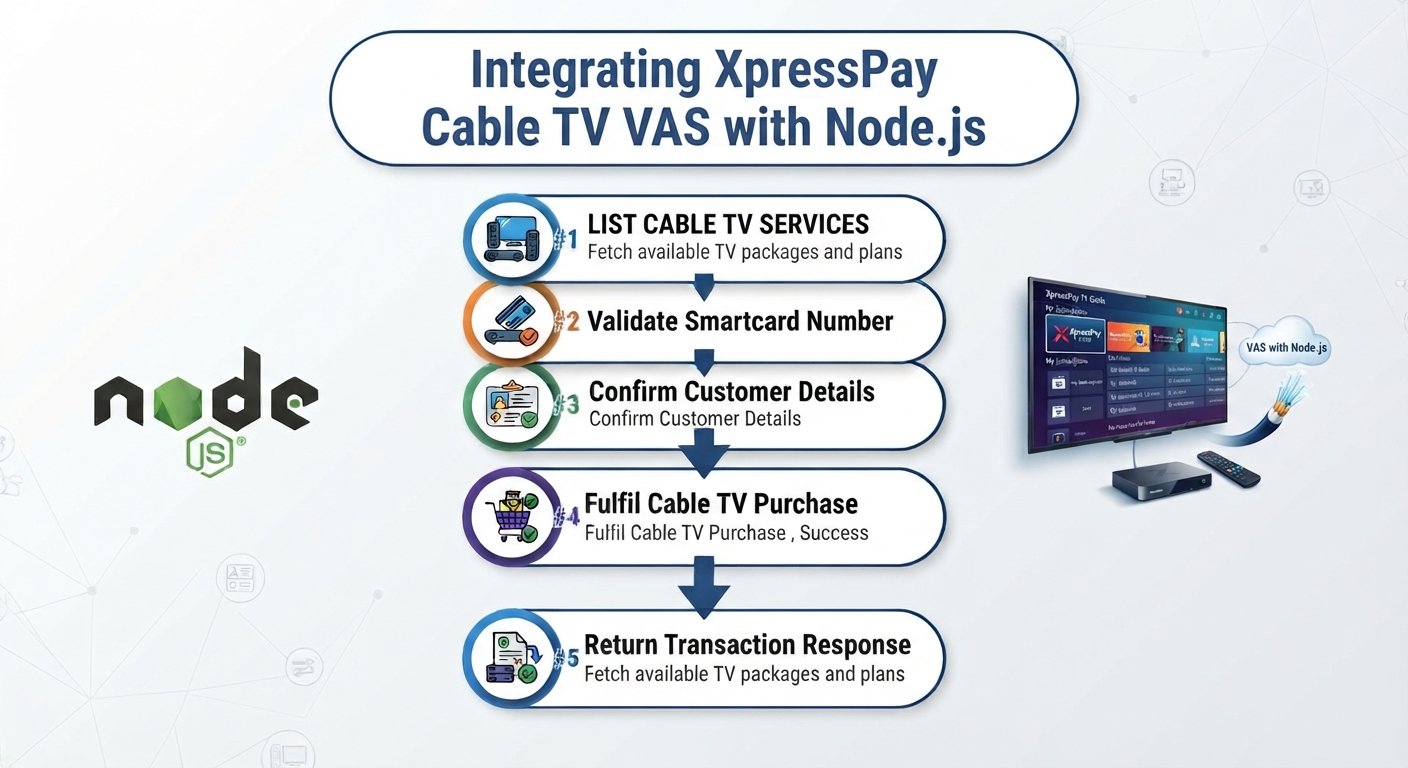
From the documentation and the integration flow, I identified three major operations:
List available cable TV services
Validate a smartcard number
Fulfil a cable TV purchase
Setting Up the Node.js Project
I scaffolded a Node.js project and installed the packages required for the integration. One of the main packages was Axios, which I used to make HTTP requests to the XpressPay API.
npm install axios
The API base URL and authentication keys were stored in the .env file rather than being hardcoded in the application.
XPRESSPAY_BASE_URL_STAGING=https://billerstest.xpresspayments.com:9603/api/v1
XPRESSPAY_PUBLIC_KEY=your_public_key
XPRESSPAY_PRIVATE_KEY=your_private_key
The private key should never be exposed in frontend code or committed to source control.
Cable TV Integration Flow
The integration follows a simple flow:

For the validation and purchase requests, XpressPay requires a PaymentHash generated using HMAC SHA512 and the private key.
The important part is that the hash is generated from the exact JSON request body being sent to the API.
Complete CableTv.js Implementation
The following is the Node.js implementation used for the integration.
const axios = require('axios');
const { Buffer } = require('buffer');
const crypto = require('crypto');
const {createAppLog} = require("../utils/createLog");
const base_url = process.env.XPRESSPAY_BASE_URL_STAGING;
const private_key = process.env.XPRESSPAY_PRIVATE_KEY;
const public_key = process.env.XPRESSPAY_PUBLIC_KEY;
// fetch billers list
const listCableTvs = async () => {
const apiUrl = `${base_url}/products?categoryId=5`;
const headers = {
'Authorization': `Bearer ${public_key}`,
'Content-Type': 'application/json',
};
const body = {
size: 88,
page: 0
};
await createAppLog(
JSON.stringify({
controller: "CableTv.js",
action: "GetCableTvs",
header: headers,
url: apiUrl
})
);
try {
// Make the POST request using axios and return the response data.
const response = await axios.post(apiUrl, body, {
headers: headers
});
const transactionStatus = JSON.stringify(response.data);
return transactionStatus;
} catch (error) {
// Handle errors here.
await createAppLog(error);
data = {
status : error.response.data.status,
message : error.response.data.message
}
return JSON.stringify(data);
}
}
// verify smart card number
const validateSmartCardNumber = async (
requestId,
uniqueCode,
accountNumber
) => {
const apiUrl = `${base_url}/cable/validate`;
// Request body
const postData = {
requestId: requestId,
uniqueCode: uniqueCode,
details: {
accountNumber: accountNumber,
noOfMonth: 1
}
};
// Generate HMAC SHA512 from the EXACT JSON body
const paymentHash = generatePaymentHash(postData);
const headers = {
'Authorization': `Bearer ${public_key}`,
'PaymentHash': paymentHash,
'Content-Type': 'application/json',
};
await createAppLog(
JSON.stringify({
controller: "CableTv.js",
action: "BillServiceQuery",
parameter: postData,
header: headers,
url: apiUrl
})
);
try {
// Make the POST request using axios and return the response data.
const response = await axios.post(apiUrl, postData, { headers });
const transactionData = JSON.stringify(response.data);
return transactionData;
} catch (error) {
// Handle errors here.
await createAppLog(error);
data = {
status : error.response.data.status,
message : error.response.data.message
}
return JSON.stringify(data);
}
}
// fulfil cable tv
const fulfilCabletv = async (
requestId,
uniqueCode,
accountNumber,
accountType,
amount,
name,
phoneNumber
) => {
const apiUrl = `${base_url}/cable/fulfil`;
// Request body
const postData = {
requestId: requestId,
uniqueCode: uniqueCode,
details: {
accountNumber: accountNumber,
accountType: accountType,
noOfMonth: 1,
amount: amount,
name: name,
phoneNumber: phoneNumber
}
};
// Generate HMAC SHA512 from the EXACT JSON body
const paymentHash = generatePaymentHash(postData);
const headers = {
'Authorization': `Bearer ${public_key}`,
'PaymentHash': paymentHash,
'Content-Type': 'application/json',
};
await createAppLog(
JSON.stringify({
controller: "CableTv.js",
action: "BillServiceQuery",
parameter: postData,
header: headers,
url: apiUrl
})
);
try {
// Make the POST request using axios and return the response data.
const response = await axios.post(apiUrl, postData, { headers });
const transactionData = JSON.stringify(response.data);
return transactionData;
} catch (error) {
// Handle errors here.
await createAppLog(error);
data = {
status : error.response.data.status,
message : error.response.data.message
}
return JSON.stringify(data);
}
}
const generatePaymentHash = (postData) => {
const jsonBody = JSON.stringify(postData);
return crypto
.createHmac('sha512', private_key)
.update(jsonBody)
.digest('hex');
};
module.exports = {
listCableTvs,
validateSmartCardNumber,
fulfilCabletv,
}
Understanding the Implementation
The listCableTvs() function retrieves the available cable TV providers. The request uses category ID 5 to identify cable TV services.
The validateSmartCardNumber() function sends the customer's smartcard number to the validation endpoint. This allows the application to confirm the account before attempting a purchase.
Finally, fulfilCabletv() handles the actual cable TV subscription purchase.
Both validation and fulfilment generate a PaymentHash using:
const generatePaymentHash = (postData) => {
const jsonBody = JSON.stringify(postData);
return crypto
.createHmac('sha512', private_key)
.update(jsonBody)
.digest('hex');
};
The important detail here is that the hash is generated from the same JSON payload that is sent to XpressPay.
Conclusion
The integration was straightforward once the API documentation and request flow were understood. Node.js and Axios provided a simple way to communicate with the XpressPay VAS APIs, while HMAC SHA512 was used for the required request authentication.
The same approach can also be extended to other VAS services such as electricity and other bill-payment services, depending on the endpoints provided by the VAS provider.
Tags
Node.js · JavaScript · XpressPay · VAS · Cable TV · API Integration · Axios · HMAC SHA512 · REST API · Payment Integration