
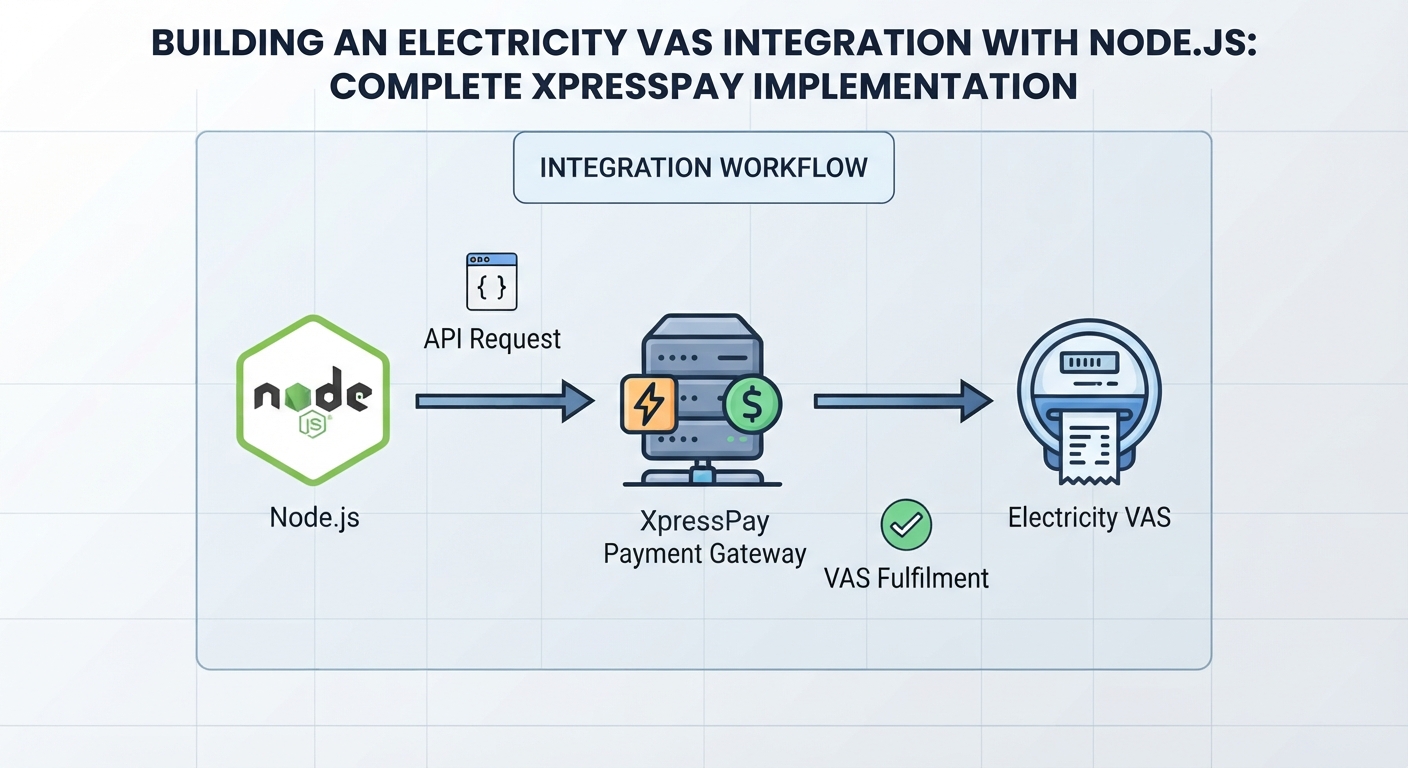
Building an Electricity VAS Integration with Node.js: Complete XpressPay Implementation
Many applications that provide financial or utility services need to integrate with third-party Value-Added Service (VAS) providers
Introduction
Many applications that provide financial or utility services need to integrate with third-party Value-Added Service (VAS) providers.
For this project, I needed to integrate electricity bill payment into an existing Node.js application using XpressPay's VAS API.
Rather than implementing all the electricity provider logic independently, the application communicates with XpressPay, which provides the API layer for retrieving electricity products, validating customer information, and fulfilling electricity purchases.
I started with the electricity integration.
The implementation involved three major operations:
Retrieve available electricity providers.
Validate the customer's meter or account number.
Initiate the electricity purchase.
The purchase operation also required HMAC SHA512 authentication using the XpressPay private key.
This article walks through the complete implementation.
1. Understanding the Integration
Before writing the Node.js code, I first went through the XpressPay documentation to identify the endpoints required for electricity.
The three endpoints used for the integration were:
Retrieve electricity products
/products?categoryId=3
The staging endpoint used during development was:
https://billerstest.xpresspayments.com:9603/api/v1/products?categoryId=3
The categoryId of 3 represents the electricity category used in this integration.
Validate electricity account
/electricity/validate
Staging:
https://billerstest.xpresspayments.com:9603/api/v1/electricity/validate
Fulfil electricity purchase
/electricity/fulfil
Staging:
https://billerstest.xpresspayments.com:9603/api/v1/electricity/fulfil
The general workflow therefore became:

2. Configuring the Environment
As with other third-party integrations, I did not hard-code the API credentials into the source code.
The XpressPay configuration was stored in the .env file.
For example:
XPRESSPAY_BASE_URL_STAGING=https://billerstest.xpresspayments.com:9603/api/v1
XPRESSPAY_PUBLIC_KEY=YOUR_PUBLIC_KEY
XPRESSPAY_PRIVATE_KEY=YOUR_PRIVATE_KEY
The Node.js application then reads these values using process.env.
The private key is particularly important because it is used to generate the HMAC SHA512 payment hash.
It should never be exposed to the frontend or committed to source control.
3. Installing Axios
Axios was used to make HTTP requests to the XpressPay API.
If Axios is not already installed:
npm install axios
The Node.js crypto module was also used.
Unlike Axios, crypto does not need to be installed because it is included with Node.js.
The modules used in the integration are:
const axios = require('axios');
const crypto = require('crypto');
const { Buffer } = require('buffer');
const {createAppLog} = require("../utils/createLog");
4. Complete Electricity.js Source Code
The following is the complete Electricity.js implementation used for the integration.
const axios = require('axios');
const crypto = require('crypto');
const {createAppLog} = require("../utils/createLog");
const base_url = process.env.XPRESSPAY_BASE_URL_STAGING;
const private_key = process.env.XPRESSPAY_PRIVATE_KEY;
const public_key = process.env.XPRESSPAY_PUBLIC_KEY;
// fetch billers type
const getElectricityBillers = async (serviceId) => {
const base_url = process.env.XPRESSPAY_BASE_URL_STAGING;
const apiUrl = `${base_url}/products?categoryId=${serviceId}`;
const headers = {
'Authorization': `Bearer ${public_key}`,
'Content-Type': 'application/json',
};
const body = {
size: 23,
page: 0
};
await createAppLog(
JSON.stringify({
controller: "Electricity.js",
action: "getProductServiceType",
header: headers,
url: apiUrl
})
);
try {
// Make the POST request using axios
// and return the response data.
const response = await axios.post(
apiUrl,
body,
{
headers: headers
}
);
const transactionStatus =
JSON.stringify(response.data);
return transactionStatus;
} catch (error) {
// Handle errors here.
await createAppLog(error);
data = {
status: error.response.data.status,
message: error.response.data.message
};
return JSON.stringify(data);
}
};
// verify meter number
const verifyMeterNumber = async (
uniqueCode,
accountNumber,
accountType
) => {
const apiUrl = `${base_url}/electricity/validate`;
const headers = {
'Authorization': `Bearer ${public_key}`,
'Content-Type': 'application/json',
};
const postData = {
requestId: "ignore",
uniqueCode: uniqueCode,
details: {
accountNumber: accountNumber,
accountType: accountType
}
};
await createAppLog(
JSON.stringify({
controller: "Electricity.js",
action: "verifyMeterNumber",
parameter: postData,
header: headers,
url: apiUrl
})
);
try {
const response = await axios.post(
apiUrl,
postData,
{
headers
}
);
const transactionData =
JSON.stringify(response.data);
return transactionData;
} catch (error) {
await createAppLog(error);
const data = {
status: error.response?.data?.status,
message: error.response?.data?.message
};
return JSON.stringify(data);
}
};
// purchase electricity
const billPayment = async (
requestId,
uniqueCode,
accountNumber,
accountType,
amount,
name,
address,
phoneNumber
) => {
const apiUrl = `${base_url}/electricity/fulfil`;
// Request body
const postData = {
requestId: requestId,
uniqueCode: uniqueCode,
details: {
accountNumber: accountNumber,
accountType: accountType,
amount: amount,
name: name,
address: address,
phoneNumber: phoneNumber
}
};
// Generate HMAC SHA512 from
// the EXACT JSON body
const paymentHash = generatePaymentHash(postData);
const headers = {
'Authorization': `Bearer ${public_key}`,
'PaymentHash': paymentHash,
'Content-Type': 'application/json'
};
await createAppLog(
JSON.stringify({
controller: "Electricity.js",
action: "BillPayment",
parameter: postData,
header: {
...headers,
PaymentHash: "[HIDDEN]"
},
url: apiUrl
})
);
try {
const response = await axios.post(
apiUrl,
postData,
{
headers
}
);
return JSON.stringify(response.data);
} catch (error) {
await createAppLog(error);
const data = {
status: error.response?.data?.status,
message: error.response?.data?.message
};
return JSON.stringify(data);
}
};
// Generate HMAC SHA512
const generatePaymentHash = (postData) => {
const jsonBody = JSON.stringify(postData);
return crypto
.createHmac('sha512', private_key)
.update(jsonBody)
.digest('hex');
};
module.exports = {
getElectricityBillers,
verifyMeterNumber,
billPayment,
};
5. Retrieving Electricity Providers
The first function is:
getElectricityBillers()
Its purpose is to retrieve the electricity products available through XpressPay.
The function accepts a serviceId:
const getElectricityBillers = async (serviceId) => {
The API URL is constructed dynamically:
const apiUrl =
`${base_url}/products?categoryId=${serviceId}`;
For electricity:
categoryId=3
Therefore, calling:
getElectricityBillers(3)
produces a request to:
/products?categoryId=3
6. Adding the Authorization Header
The request uses the XpressPay public key as a bearer token:
const headers = {
'Authorization': `Bearer ${public_key}`,
'Content-Type': 'application/json',
};
The private key is not sent directly in this request.
The distinction between the public and private keys becomes especially important when processing the electricity purchase because the private key is used to generate the payment hash.
7. Passing Pagination Information
The request also contains:
const body = {
size: 23,
page: 0
};
This tells the API how many records to request and which page to retrieve.
The request is then sent using Axios:
const response = await axios.post(
apiUrl,
body,
{
headers: headers
}
);
The API response is returned to the application:
const transactionStatus =
JSON.stringify(response.data);
return transactionStatus;
The frontend can then use this information to display the available electricity providers.
8. Validating the Meter Number
After retrieving the electricity providers, the next operation is validating the customer's account.
This is handled by:
verifyMeterNumber()
The function accepts:
uniqueCode
accountNumber
accountType
The endpoint is:
const apiUrl =
`${base_url}/electricity/validate`;
The request body is:
const postData = {
requestId: "ignore",
uniqueCode: uniqueCode,
details: {
accountNumber: accountNumber,
accountType: accountType
}
};
The uniqueCode identifies the selected electricity provider, while accountNumber contains the customer's meter or account number.
9. Sending the Validation Request
The request is sent with Axios:
const response = await axios.post(
apiUrl,
postData,
{
headers
}
);
The response is then returned:
const transactionData =
JSON.stringify(response.data);
return transactionData;
This gives the application an opportunity to confirm that the supplied electricity account information can be validated before proceeding with the purchase.
10. Initiating the Electricity Purchase
The final operation is:
billPayment()
It receives:
requestId
uniqueCode
accountNumber
accountType
amount
name
address
phoneNumber
The endpoint is:
const apiUrl =
`${base_url}/electricity/fulfil`;
The request body is:
const postData = {
requestId: requestId,
uniqueCode: uniqueCode,
details: {
accountNumber: accountNumber,
accountType: accountType,
amount: amount,
name: name,
address: address,
phoneNumber: phoneNumber
}
};
At this point, the request contains the information required to process the electricity purchase.
But there is one more requirement.
The request needs a payment hash.
11. Generating the HMAC SHA512 Payment Hash
The payment hash is generated from the request body using HMAC SHA512.
The implementation is:
const generatePaymentHash = (postData) => {
const jsonBody = JSON.stringify(postData);
return crypto
.createHmac('sha512', private_key)
.update(jsonBody)
.digest('hex');
};
First, the request body is converted into a JSON string:
const jsonBody =
JSON.stringify(postData);
The HMAC is then created using SHA512 and the XpressPay private key:
crypto.createHmac(
'sha512',
private_key
)
The JSON body is supplied to the hash:
.update(jsonBody)
Finally, the result is converted to hexadecimal:
.digest('hex');
12. Adding the PaymentHash Header
The generated hash is then included in the request headers:
const paymentHash =
generatePaymentHash(postData);
const headers = {
'Authorization': `Bearer ${public_key}`,
'PaymentHash': paymentHash,
'Content-Type': 'application/json'
};
The request therefore contains two important authentication-related values:

This is an important distinction.
The private key is used to generate the signature, rather than being sent directly to the external API.
13. Why the Exact JSON Body Matters
One of the most important details in this implementation is this comment:
// Generate HMAC SHA512 from the EXACT JSON body
The hash is generated from:
JSON.stringify(postData)
The same postData object is then sent to the API:
axios.post(
apiUrl,
postData,
{
headers
}
);
Conceptually:

When an API uses request-body signing, the data used to generate the signature must correspond to the data being submitted.
This is one of the areas where small differences in implementation can cause authentication failures.
14. Logging the Payment Request
Because this is a payment operation, logging is important for troubleshooting.
However, the generated payment hash should not be stored in plain form in application logs.
That is why the implementation uses:
await createAppLog(
JSON.stringify({
controller: "Electricity.js",
action: "BillPayment",
parameter: postData,
header: {
...headers,
PaymentHash: "[HIDDEN]"
},
url: apiUrl
})
);
Instead of logging the actual hash, the value is replaced with:
[HIDDEN]
This provides useful information during debugging without unnecessarily exposing authentication material.
15. Handling Errors
Each major API operation uses try...catch.
For example:
try {
const response = await axios.post(
apiUrl,
postData,
{
headers
}
);
return JSON.stringify(response.data);
} catch (error) {
await createAppLog(error);
const data = {
status: error.response?.data?.status,
message: error.response?.data?.message
};
return JSON.stringify(data);
}
The optional chaining operator:
error.response?.data?.status
is useful because an Axios error does not always contain a response.
For example, a network failure may occur before the external server returns an HTTP response.
Without optional chaining, the error-handling code itself could throw another exception.
16. Keeping the Integration Modular
The three operations are kept as separate functions:
getElectricityBillers
verifyMeterNumber
billPayment
They are then exported:
module.exports = {
getElectricityBillers,
verifyMeterNumber,
billPayment,
};
This allows another part of the Node.js application to import only the functions it needs.
For example:
const {
getElectricityBillers,
verifyMeterNumber,
billPayment
} = require('./Electricity');
Each service can then contain the provider-specific implementation while the rest of the application remains relatively independent of the external API.
17. The Complete Electricity Flow
Putting everything together, the application follows this sequence:

This represents the complete flow implemented around the XpressPay electricity API.
18. Lessons From the Integration
One of the things I found while implementing the integration was that the API calls themselves were not the most difficult part.
The more important work was understanding how the individual API operations fit together.
The application needed to:
Identify the correct electricity category.
Retrieve available electricity providers.
Keep the provider's uniqueCode.
Validate the customer's account.
Build the correct payment request.
Generate the HMAC SHA512 payment hash.
Send the correct authentication headers.
Handle API errors.
Log useful debugging information.
Prevent sensitive authentication information from appearing in logs.
The integration therefore became more than a simple HTTP client.
It became an integration layer between the application's payment workflow and the external VAS provider.
Conclusion
Building the electricity VAS integration with Node.js provided a practical example of integrating a third-party utility API into an existing application.
The implementation started by retrieving electricity providers using:
/products?categoryId=3
The selected electricity account was then validated using:
/electricity/validate
Finally, the electricity purchase was initiated through:
/electricity/fulfil
The final step required HMAC SHA512 authentication, where the request body was hashed using the XpressPay private key and the resulting hash was supplied through the PaymentHash header.
Node.js made the implementation straightforward through two important tools:
Axios for communicating with the XpressPay API.
Crypto for generating the HMAC SHA512 payment hash.
The complete implementation also demonstrates several important backend development practices, including environment-based configuration, modular services, API error handling, logging, and protecting sensitive authentication information.
With the electricity integration working, the same architecture can be extended to other VAS services such as airtime, data, cable TV, and other bill-payment services.
Technologies Used
Node.js
JavaScript
Axios
XpressPay VAS API
REST API
HMAC SHA512
Node.js Crypto
Environment Variables
JSON
Electricity Bill Payment API
Backend API Integration